
AI in Game Art: How Studios Use It Without Losing Quality
The discourse around AI in game art swings between two extremes: either it ends the profession by next quarter, or it is a toy that produces unusable noise. After a couple of years of running real production work with these tools at our studio, the truth sits in a far less dramatic place - and that place is genuinely useful for game studios.
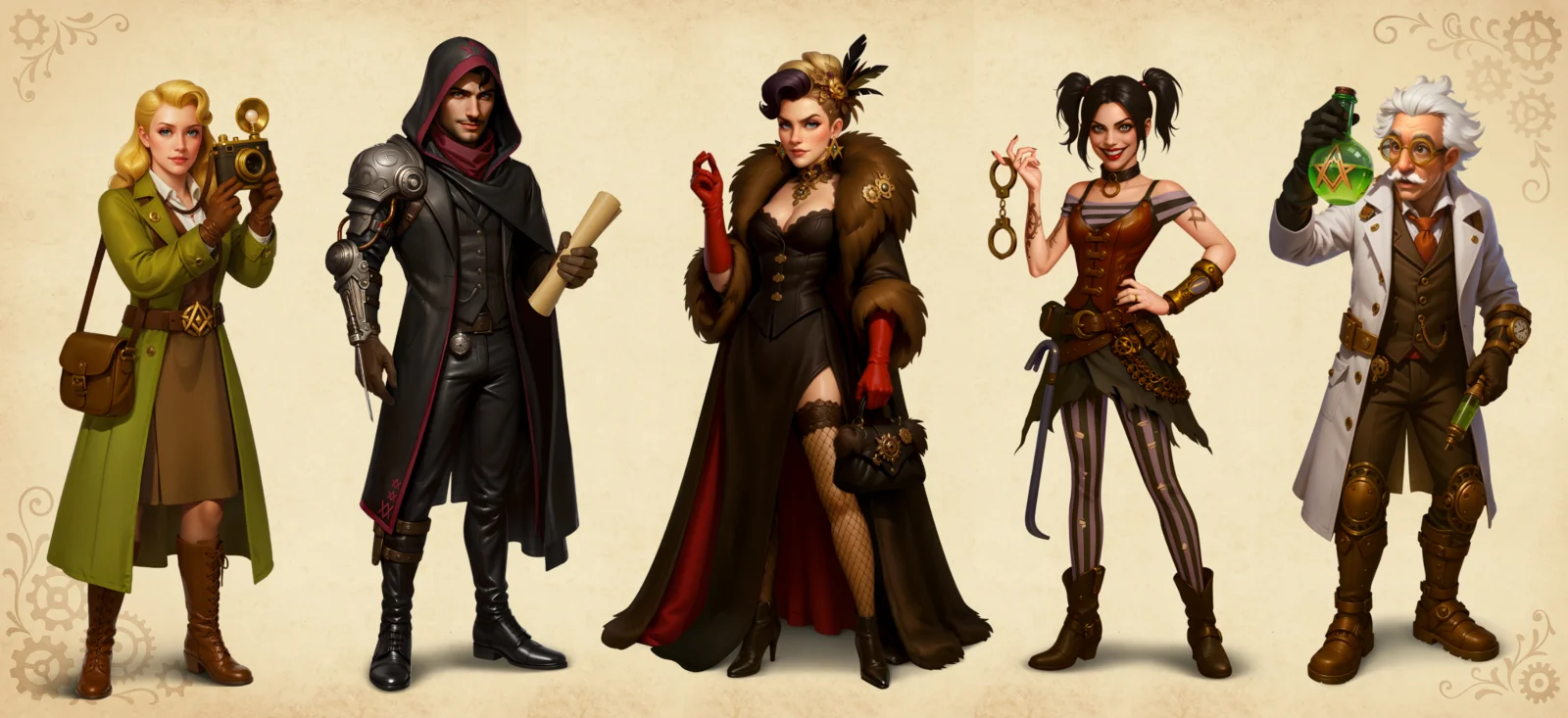
This piece is for studio leads and producers deciding how, or whether, to fold AI into their art pipeline. No hype, no doom. Just where AI actually helps in game art production, which tools matter, where it still falls down, how to roll it out across a team, and what it means if you outsource.
TL;DR: AI in game art at a glance
| Question | Short answer |
|---|---|
| Does AI replace game artists? | No - it replaces tasks, not judgement |
| Where AI helps most | Ideation, references, variations, upscaling, cleanup |
| Where AI fails | Consistency, art direction, clean 3D files, IP-safe output |
| Is raw output production-ready? | Rarely - it is a starting point, not a deliverable |
| Real benefit | Faster exploration and shorter revision loops |
| Safe way to use it | Human-in-the-loop with art-direction sign-off |
What AI actually does in game art today
First, a quick boundary. When people talk about AI in gaming, they often mean two different things: gameplay AI (NPC behaviour, AI NPCs, procedural systems) and production AI (tools that help the team make the game). This article is about the second kind applied to art - how AI is used in video games on the content-creation side, not how an NPC decides where to walk.
In a real pipeline, AI is an accelerator for the early and repetitive stages, not an artist that ships finished work. It is strongest where you need many rough options fast - mood directions, silhouette ideas, background variations - and weakest the moment a deliverable has to match a style bible and stay consistent across an asset set.
The mental model that works: AI handles “how about this?” and the artist handles “this is right.” Pre-production exploration speeds up dramatically. Final production stays human-led because that is where art direction, consistency, and ownership live. Everything below is just detail on that one distinction.
Where AI speeds up the art pipeline
These are the stages where studios get real, measurable value today. The pattern is the same in each: AI compresses the divergent, exploratory part of the work, and the artist keeps the convergent part - choosing, refining, finishing.
- Reference and mood boards. Generating dozens of direction options in minutes replaces hours of manual searching and collaging. The art director walks into the kickoff with a richer board than a day of manual research would produce.
- Concept thumbnails. Fast, throwaway exploration of composition and silhouette before an artist commits to a refined paintover. A direction that took half a day of sketching to test can be roughed out in an hour.
- Variations at scale. Background dressing, prop kits, color alternates, casual match-3 assets - generating a spread the artist then curates and finishes. This is where the time savings are most concrete: a batch of stylized prop variations that used to take three or four days can land in roughly half that, because the artist is editing instead of starting from a blank canvas.
- Upscaling and cleanup. Removing repetitive manual work - resolution lifts, denoising, batch tidying - so artists spend time on creative decisions, not chores.
- Texture and material starts. Base passes a 3D artist refines rather than builds from zero, useful for stylized surfaces where exactness matters less than read.
Notice what is not on this list: hero characters, key art, anything that has to be exactly on-brand the first time. AI gets you to a strong start faster; it does not get you to a finished, consistent deliverable. We apply the same split across 2D game art and 3D game art production.
The AI tools studios actually use
The tool matters less than the workflow around it, but here is the honest mid-2026 landscape for an art pipeline.
For 2D and concept work:
- Midjourney - fast, high-quality ideation and mood exploration. Great for “how about this?”, weak on precise control.
- Stable Diffusion (often via ComfyUI) - when you need control: img2img, ControlNet, in-painting, consistent reference conditioning. This is where studios do serious steerable 2D work because the output can be guided rather than rolled for.
- Google Nano Banana (Gemini) - the 2026 surprise. Nano Banana 2 (launched February 2026) generates up to 4K, renders legible in-image text for mock-ups and marketing, and pulls on Gemini’s real-world knowledge. It leans punchy and saturated, which suits casual and mobile art.
- ChatGPT Images (GPT image gen) - more grounded and naturalistic output, stronger when you describe a precise scene in plain language. Good for realistic references and marketing comps; the trade-off versus Nano Banana is precision over speed.
- Adobe Firefly - the licensing-safe option, trained on licensed data with commercial terms, used when IP cleanliness is a hard requirement.
- Upscalers (Topaz and similar) - resolution and detail lifts on selected pieces.
For 3D:
The “AI 3D is not ready” line is already out of date. Image-to-3D generators are in real production pipelines in 2026:
- Tripo - game-oriented, generates a base mesh in seconds with game-friendly topology and auto-rigging, which is why studios reach for it first on volume work.
- Tencent Hunyuan 3D - one of the strongest open models for turning a single image into a detailed, high-material-quality model; heavily used across the Chinese game and animation industry.
- Rodin (Gen-2.5) and Meshy - high-quality generation for hero-leaning assets and fast iteration respectively.
Studios running these report large cuts in asset-production time on suitable assets. The catch has not disappeared, it has moved: generated meshes still need a human pass for clean topology, UVs, and rig/animation readiness on anything hero, modular, or animated. The tool gets you a production-grade blockout fast; an artist makes it ship-ready.
The studios getting value are not the ones with the trendiest tool. They are the ones with a workflow that uses control-oriented tools for steering and treats every generation as a draft, not a delivery.
Where AI still falls short
This is the part the hype skips, and it is exactly where production breaks if you trust raw output.
Consistency across an asset set. A game is not one beautiful image - it is hundreds of assets that must read as one world. AI drifts: the same character changes between frames, props do not share the world’s visual language, lighting logic wanders. Holding a consistent style across a full set is still a human art-direction job.
3D still needs a human finish. Image-to-3D generators (Tripo, Hunyuan 3D, Rodin, Meshy) now produce strong blockouts fast, and the best of them aim for game-friendly topology and auto-rigging. But for hero assets the result still needs a human pass: topology cleanup, sane UVs, deformation that survives animation, and clean object segmentation. The “AI saved time” claim holds for volume and blockout work and weakens the closer you get to a hero, rigged, or LOD-ed asset.
Art direction and intent. AI does not know why a silhouette should read at thumbnail size, why a faction’s palette is restricted, or how a character’s design should telegraph its role. Those are deliberate decisions tied to gameplay and brand, not pattern-matching.
Modularity and animation prep. Tile sets that must connect seamlessly, sprite sheets, rig-ready characters, anything built to be assembled or moved - AI handles poorly. It generates pictures, not systems.
Production-ready files. Resolution, layering, orthographic sheets the 3D team can actually use - raw generations rarely meet these. Someone rebuilds them.
Legal, IP, and disclosure. This got sharper in 2026, not softer. In March 2026 the US Supreme Court declined to hear an appeal on AI art copyright, leaving in place the rule that purely AI-generated work is not copyrightable without significant human authorship - so AI-only assets may not be protectable IP. Platforms tightened too: Steam rewrote its AI disclosure rules in January 2026 (you declare AI content shipped in the game on the store page), and the EU’s AI disclosure obligations come into force on August 2, 2026. Practical takeaways: keep a human meaningfully in the loop so there is human-authored work to protect, prefer tools with clear licensing such as Adobe Firefly, and do not market AI-assisted art as fully hand-crafted - misrepresentation carries its own legal risk.
Will AI replace game artists?
No - and the studios closest to the tools are the clearest on this. AI removes specific tasks; it does not remove the artist. The routine, divergent work shrinks; the judgement work - art direction, consistency, creative ownership - does not, and arguably becomes more valuable because there is more raw material to shape.
What changes is the artist’s day, not their existence. Less time on reference hunting and rote variations, more time on the decisions that make a game look like itself. The teams that win are the ones that let AI carry the chores so their artists carry the art. A junior who only did production grunt work has more to worry about than a senior who owns art direction - which is a reason to grow artists toward judgement, not a reason to cut the team.
How studios use AI responsibly
The workflow that holds up in production is human-in-the-loop, with art direction in control at every gate:
- Brief and bible first. The style guide, references, and constraints are set by the art director before any generation.
- AI for divergence. Generate broad options for mood, composition, and variations - fast and disposable.
- Human selection. The artist curates: which directions fit the bible, which are noise.
- Paint-over and finish. Selected starts are reworked into consistent, production-ready assets by hand.
- Sign-off at each stage. Art-direction review gates the work exactly as it would without AI.
The spine of the pipeline - direction, curation, finishing, review - is unchanged. AI slots into one step. That is the difference between using AI as a tool and pretending it is a studio.
Introducing AI into an existing art team
Rolling AI into a team that did not grow up with it is a change-management problem, not a tooling one. What works:
- Prove it on low-risk work first. References, mood boards, variation passes - not hero assets. Let the team see the upside without betting a milestone on it.
- Show results, not raw output. A finished, production-ready piece that started from an AI draft convinces people; a screen of impressive-but-broken generations does not.
- Document the workflow. A written process - which tool for which step, where the human gates are - turns “AI magic” into a repeatable pipeline stage.
- Name the fear directly. Most resistance is fear of replacement. It fades when artists see AI taking the boring work and leaving the creative decisions to them. The framing that lands: AI does the chores, you do the art.
Teams that skip this step get either quiet sabotage or reckless adoption. Teams that do it get a tool their artists actually reach for.
When to use AI, and when not to
A simple decision rule keeps studios out of trouble:
Reach for AI when the task is exploratory, disposable, or repetitive, when many rough options beat one polished one, and when a human will finish the result anyway - ideation, references, variations, upscaling, stylized batch work.
Skip AI when the asset must be exactly on-brand the first time, when it has to be rigged, animated, or modular, when consistency across a set is the whole point, or when IP cleanliness is non-negotiable and the tool’s provenance is unclear - hero characters, key art, rig-ready 3D, seamless tile sets.
The studios that get burned are the ones that apply AI to the second list because it worked on the first.
What this means for game art outsourcing
For studios that outsource, the question is not “does the partner use AI?” but “how?” Whether a vendor markets itself as an AI game development company or simply an AI-assisted art studio, the test is the same: AI as an accelerator inside a human-led pipeline, with transparent disclosure, style consistency across the set, clean licensing, and a partner who owns the final quality - not one quietly shipping raw generations to cut corners.
Used that way, AI shortens revision loops and frees senior artists for the work that matters, which is good for both cost and turnaround. That is the model behind our AI-assisted game art services, and it is why our reel still leans on human-finished work - see how a single character family rolls out across a set in our concept art guide or how studios compare partners in our overview of game art outsourcing studios.
The honest takeaway
AI in game art is neither the end of artists nor a magic cost cut. It is a fast, useful tool for exploration and repetitive work, wrapped in a pipeline that still runs on human judgement. Studios that treat it that way ship faster without losing the thing that makes their games look like theirs. Studios that expect it to replace the artist ship inconsistent assets and pay to rebuild them.
The winning move in 2026 is not to fear AI or worship it. It is to put it exactly where it earns its place - on the chores, the drafts, and the exploration - and keep a human holding the brush.