

High-Poly vs. Low-Poly Game Art: How to Choose
Picking between high-poly and low-poly modeling isn’t a purely technical decision - it’s a business call that touches visual identity, performance budgets, production schedules, and even your marketing screenshots. At SunStrike Studios, we help teams ship across PC, console, and mobile with outsourced 3D game art, QA, and full-cycle development. Below is a practical, vendor-agnostic guide to choosing the right polygon strategy for your next title - plus concrete tips to keep your pipeline fast and your visuals on brand.
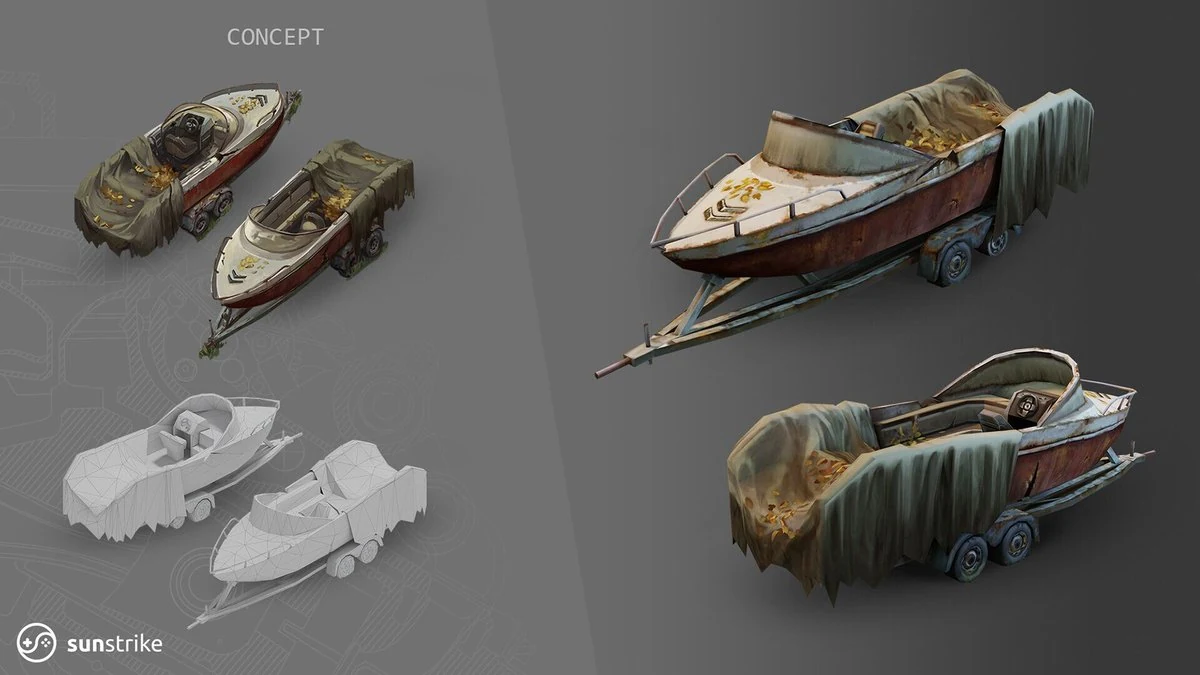
What “Polycount” Really Means (and Why It Matters)
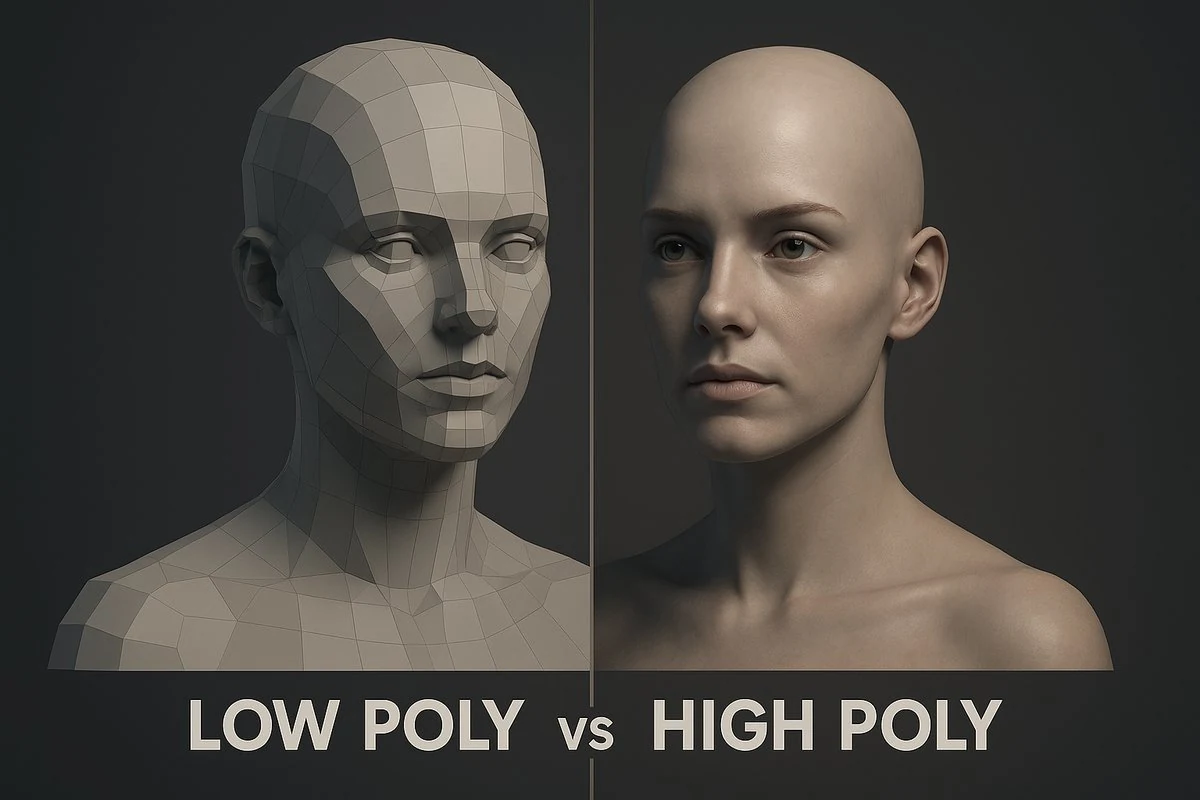
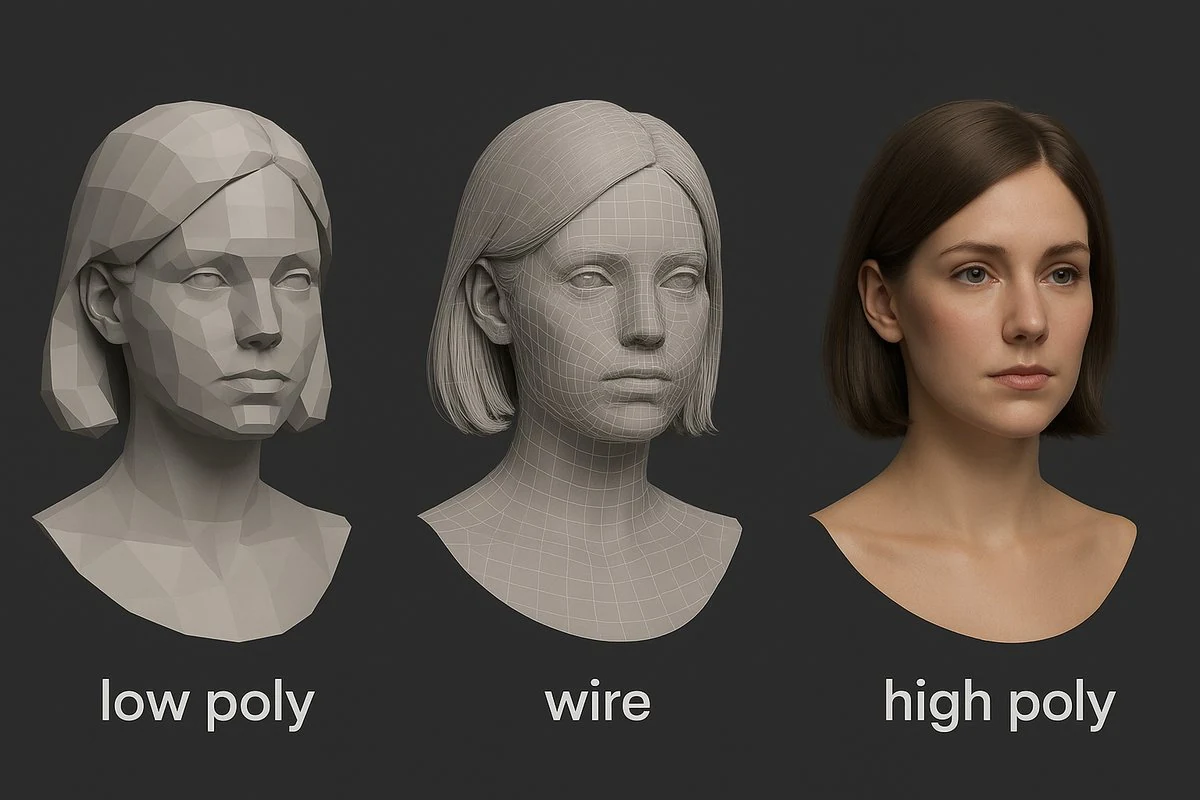
In 3D game art, polycount is the number of polygons (usually triangles) that make up a mesh. More triangles generally allow smoother silhouettes and denser surface detail; fewer triangles mean simpler forms and cheaper rendering. That much is obvious - but in production, polycount is inseparable from:
- Silhouette and readability: Fewer polys can still produce striking forms if the silhouette is strong.
- Shading fidelity: High poly supports micro-curvature for clean bakes and natural shading; low poly relies more on textures and normal maps for “fake” relief.
- Performance and memory: Triangles, draw calls, overdraw, texture sizes, and shader complexity all fight for frame time and RAM/VRAM.
- Tooling and workflow: Sculpting, retopology, baking, LODs, and texture authoring differ dramatically depending on your target density.
The core decision is not “high vs. low” in a vacuum - but “what poly strategy best serves your camera, genre, hardware targets, timeline, and art direction?”
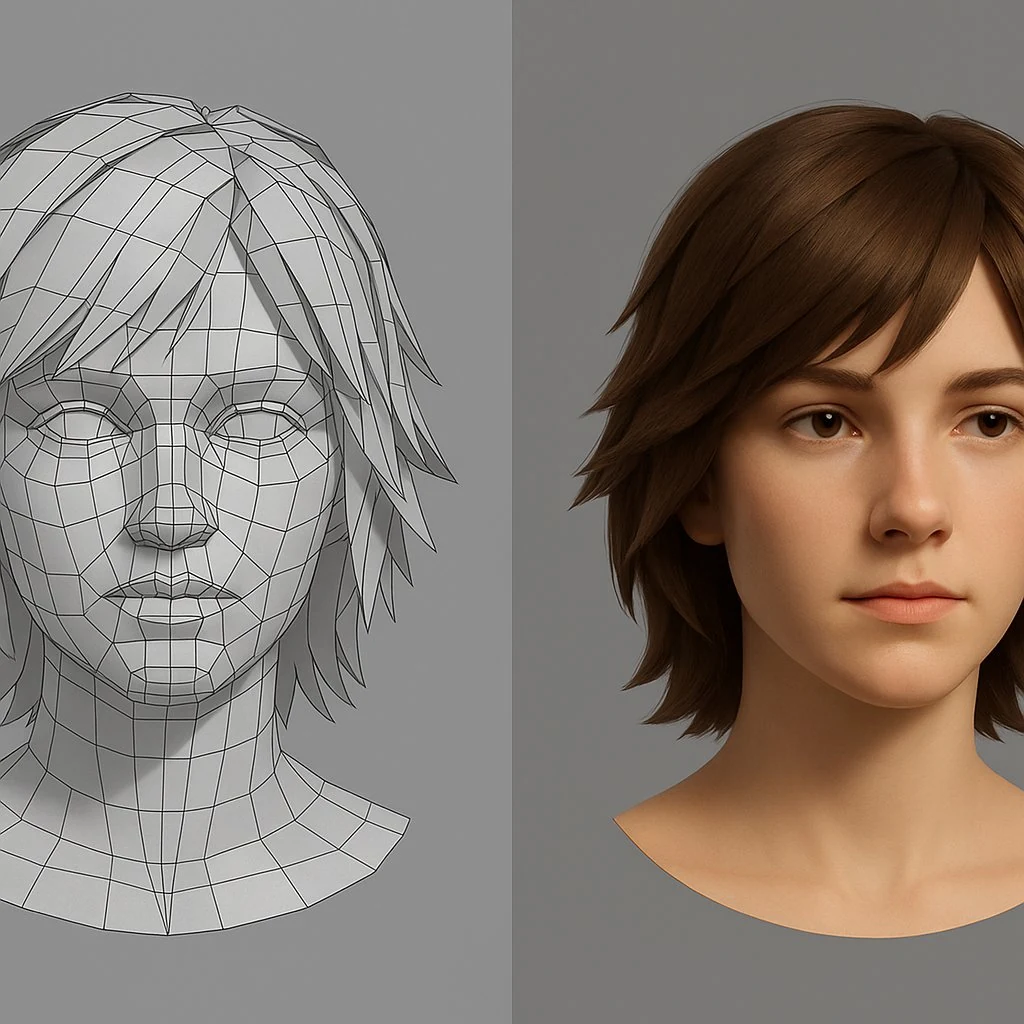
Defining the Ends of the Spectrum
High-Poly (for game production)
In production, “high-poly” usually refers to detail-rich source meshes used for baking. Artists sculpt wrinkles, pores, bevels, and micro damage in tools like ZBrush, then bake those details into normal, curvature, and AO maps onto a game-ready mesh. On next-gen consoles and PC, you can also push relatively higher in-engine polycounts (and leverage tech like virtualized geometry), but most projects still rely on the high-to-low workflow.
Where it shines
- Cinematic characters, premium marketing shots, close-up props, hero assets.
- Realistic or “grounded” visual targets where surface nuance matters.
- Scenes where the camera gets extremely close (first-person weapons, dialogue portraits).
Trade-offs
- More time per asset (sculpt to retopo to UV to bakes to texture polish).
- Larger textures to properly capture detail.
- Higher render cost unless carefully managed with LODs, culling, and efficient shading.
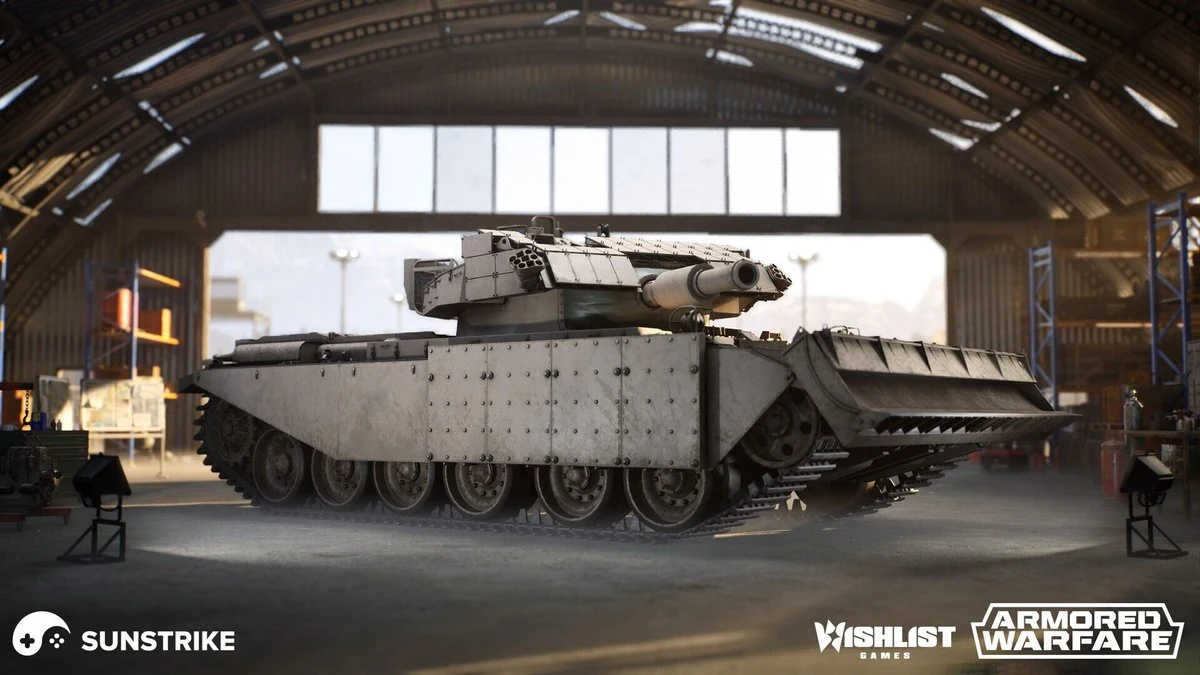
Low-Poly (for game production)
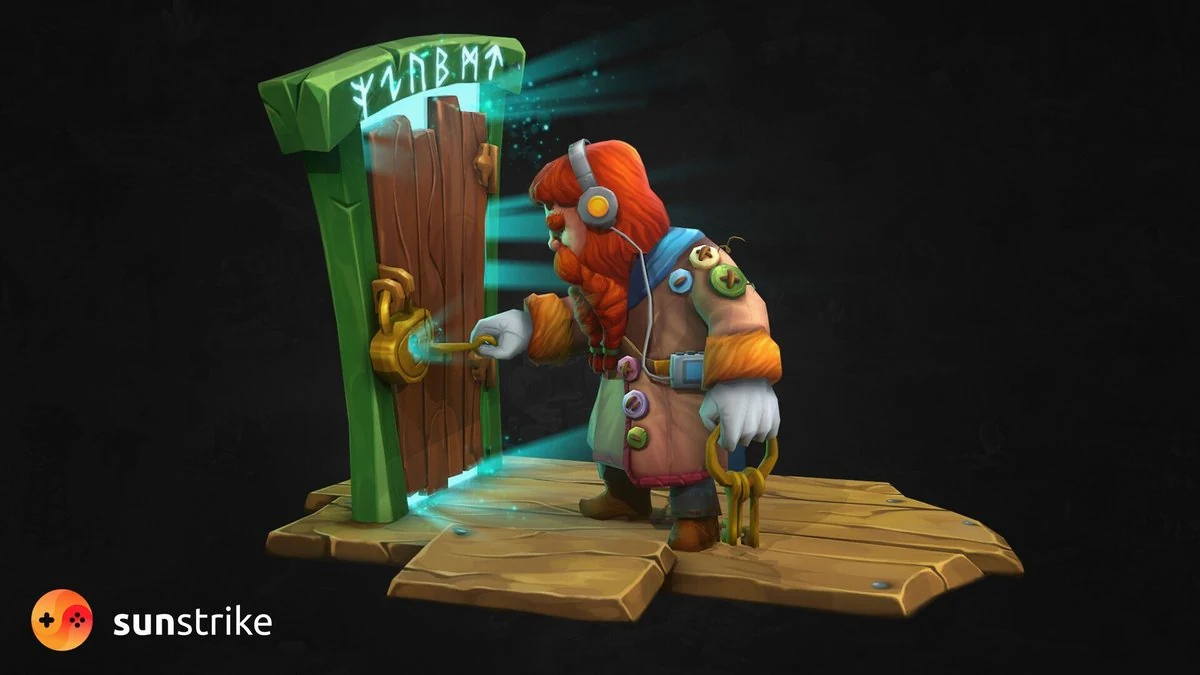
“Low-poly” refers to economical meshes with simplified topology - often with the intention of faking detail via textures (normal maps, roughness variation, gradients) and smart shading. This isn’t synonymous with “retro” or “blocky”; you can achieve refined aesthetics with low counts if your shape language and materials do the heavy lifting.
Where it shines
- Mobile, VR/AR, and large crowds or swarms.
- Stylized projects that prioritize strong silhouettes and color over micro-detail.
- Systems with strict performance/size constraints or massive world scale.
Trade-offs
- Up-close inspection can expose faceting and texture stretching.
- Heavy reliance on good baking and texture work for convincing results.
- Some styles (e.g., hyperrealism) simply won’t read well at very low density.
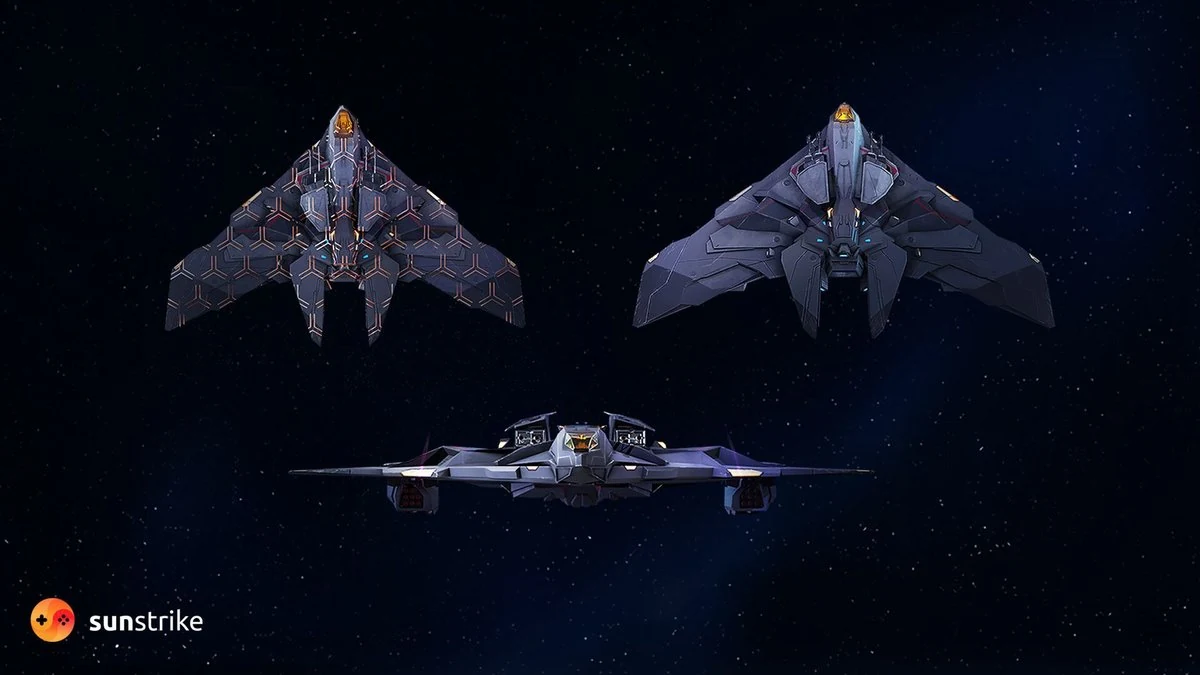
Visual Quality vs. Performance: Finding Your Point on the Curve
What drives perceived quality?
- Silhouette: The most budget-efficient improvement. Clean, characteristic outlines beat hidden micro-detail every time.
- Shading smoothness: Even moderate polycounts benefit from strategic support loops and proper smoothing groups to avoid lighting glitches.
- Material response: Credible roughness/metalness values and believable wear patterns often add more realism than extra polygons.
- Lighting: Careful use of key, rim, and fill lights - combined with well-chosen LUTs - can give low-poly assets a high-end finish.
What burns performance?
- Overdraw and alpha: Dense foliage, particle effects, and transparent materials often cost more than triangles.
- Material/shader complexity: Multi-layered, per-pixel expensive shaders can dominate frame time on mobile.
- Texture bandwidth: High-res textures impact memory and streaming as much as geometry does.
- Draw calls: Many small materials/meshes kill batching and CPU time; prefer atlases, trim sheets, and instancing.
Takeaway: Don’t fixate on triangles alone. Think holistically: triangles + textures + shaders + VFX + lighting.
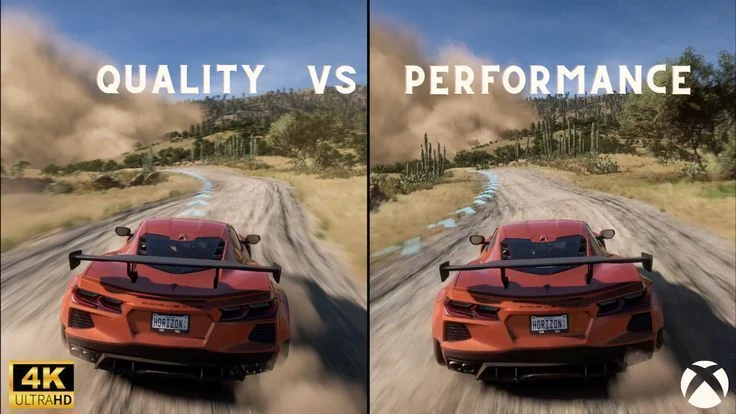
Platform and Camera Considerations (with Practical Targets)
- Mobile (portrait and landscape): Aim for aggressive optimization. Emphasize strong silhouettes, lightweight shaders, texture atlasing, and a strict cap on bone counts. Characters often live comfortably in the 3-10k tris range, with texel density around 256-512 px/m where possible (varies by camera). Keep materials few and reusable.
- VR/AR: Comfort demands high framerates. Favor low-poly meshes, conservative alpha, and minimal overdraw. Opt for baked lighting or highly optimized real-time solutions, paired with streamlined PBR materials. Characters and hero props should be optimized for close viewing without exploding draw calls.
- Isometric/Top-Down: Readability from a distance matters more than micro-detail. Maintain crisp silhouettes and tighten value contrast to avoid visual noise. Mesh complexity can be lower; spend budget on distinct shapes and color coding.
- First-Person / Over-the-Shoulder: The camera gets close. Budget more polys and texture resolution for viewmodels and faces. Use per-part LODs so distant body parts don’t hog triangles.
- Open Worlds and Crowds: The enemy is multiplicity. Prefer modular kits, trim sheets, and impostor/LOD strategies. Use GPU instancing for repeated elements.
(These are directional, not rules. SunStrike’s tech artists benchmark a vertical slice on target hardware and calibrate budgets asset-by-asset.)
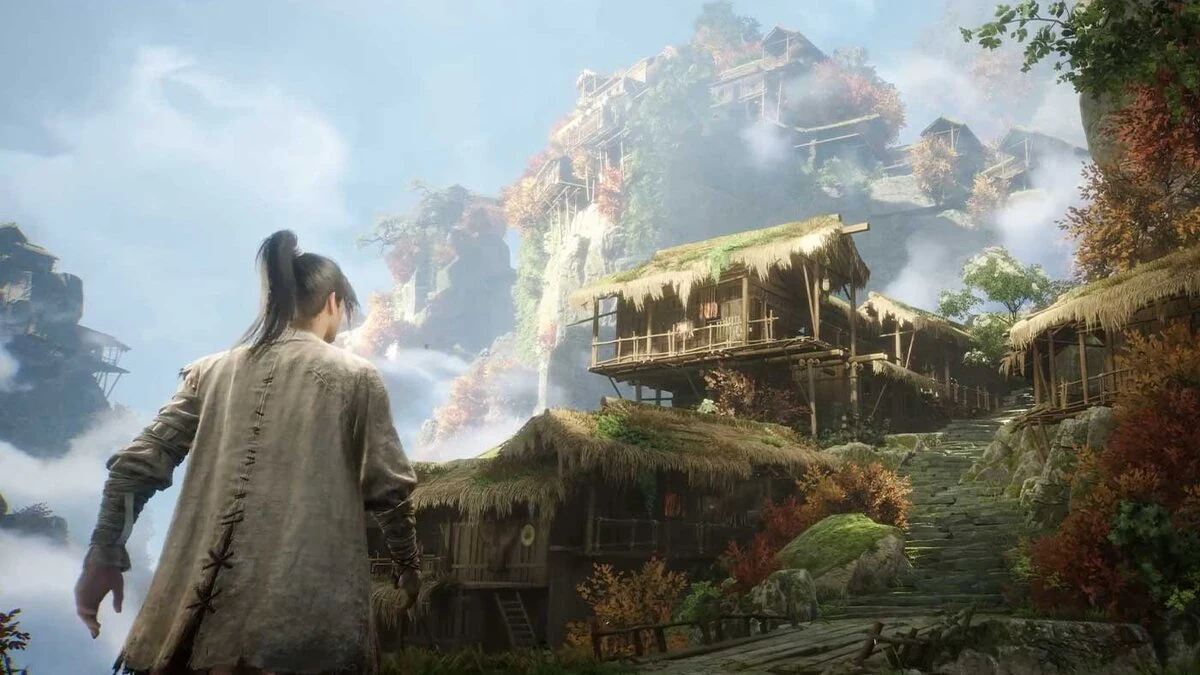
High-to-Low Workflow: Where the Time Goes (and How to Save It)
1. Blockout: Establish proportions and silhouette at very low density. Nail scale early to avoid rework.
2. High-Poly Sculpt: Add primary, secondary, and tertiary forms. Keep layer discipline so you can non-destructively tweak.
3. Retopology: Create a clean game mesh. Favor loops that support deformation (faces, elbows, knees) and avoid long skinny triangles.
4. UVs and Texel Density: Pack efficiently; maintain consistent density for contiguous materials. Use trim sheets and mirroring where appropriate.
5. Bakes: Transfer detail from high to low (normal, AO, curvature, thickness). Harden/soften edges appropriately to reduce bake artifacts.
6. PBR Texturing: Author albedo, roughness, metalness with a clear material dictionary. Use curvature/AO as guides, not crutches - avoid “noisy for the sake of noisy.”
7. LODs and Collision: Generate LODs with hand passes for heroes. Create simplified collision for physics and navmesh performance.
Time savers
- Trim sheets for repeatable surfaces (metal edges, panels, belts).
- Modular kits for environments (walls, pillars, trims) to explode reuse.
- Shared smart materials with locked ranges for consistency.
- Baking cages and naming conventions to automate export/import.

Low-Poly Done Right: Making “Simple” Look Premium
- Shape language first: Decide early - angular for aggressive factions, rounded for friendly, tapered for elegance.
- Value compression: Keep midtones dominant with controlled highlights/shadows to prevent shimmer at distance.
- Stylized materials: Hand-paint subtle gradients to suggest form without geometry.
- Outline/rim accents (NPR): Light, tasteful outlines or rim lights can add definition for readability on small screens.
- Smart normals: Even a tiny bevel + normal detail eliminates harsh shading breaks on low-tri meshes.
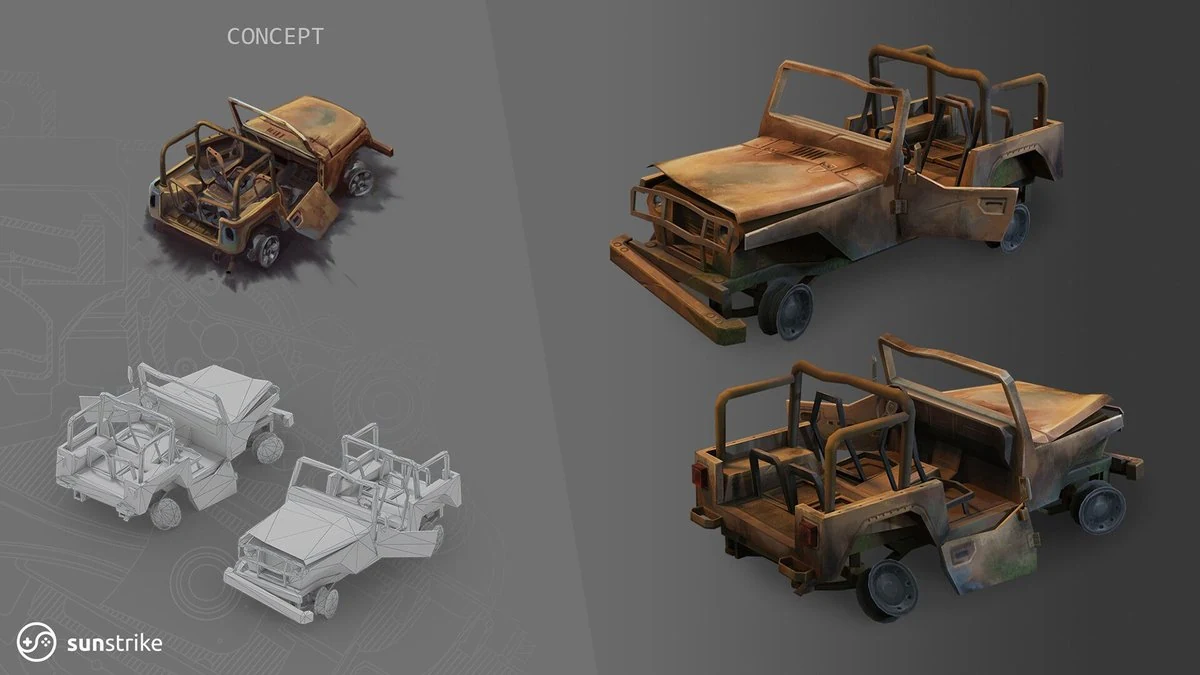
Production Cost, Schedules, and Risk
- High-poly increases per-asset time, requires skilled sculpting, and adds QA surface for bakes and shading artifacts. The reward: premium close-ups and marketing-ready visuals.
- Once the style is set, low-poly assets turn around faster per item, scale efficiently to large libraries, and generally demand smaller texture budgets. The risk: if style direction is fuzzy, low-poly can come off as “cheap” rather than intentional.
Mitigation playbook
- Build a visual slice (character + prop cluster + small environment) to validate style vs. performance.
- Freeze a material dictionary (roughness/metalness ranges) and texel density targets.
- Schedule artifact hunts (UV seams, normal flips, LOD pops) as formal QA tasks.
- Enforce content gates through automated validations - checking naming, scale, UV density, triangle budgets, and material counts.
- Maintain a centralized source of truth (e.g., Confluence, Notion, or ShotGrid) to track polygon and texture budgets by category.
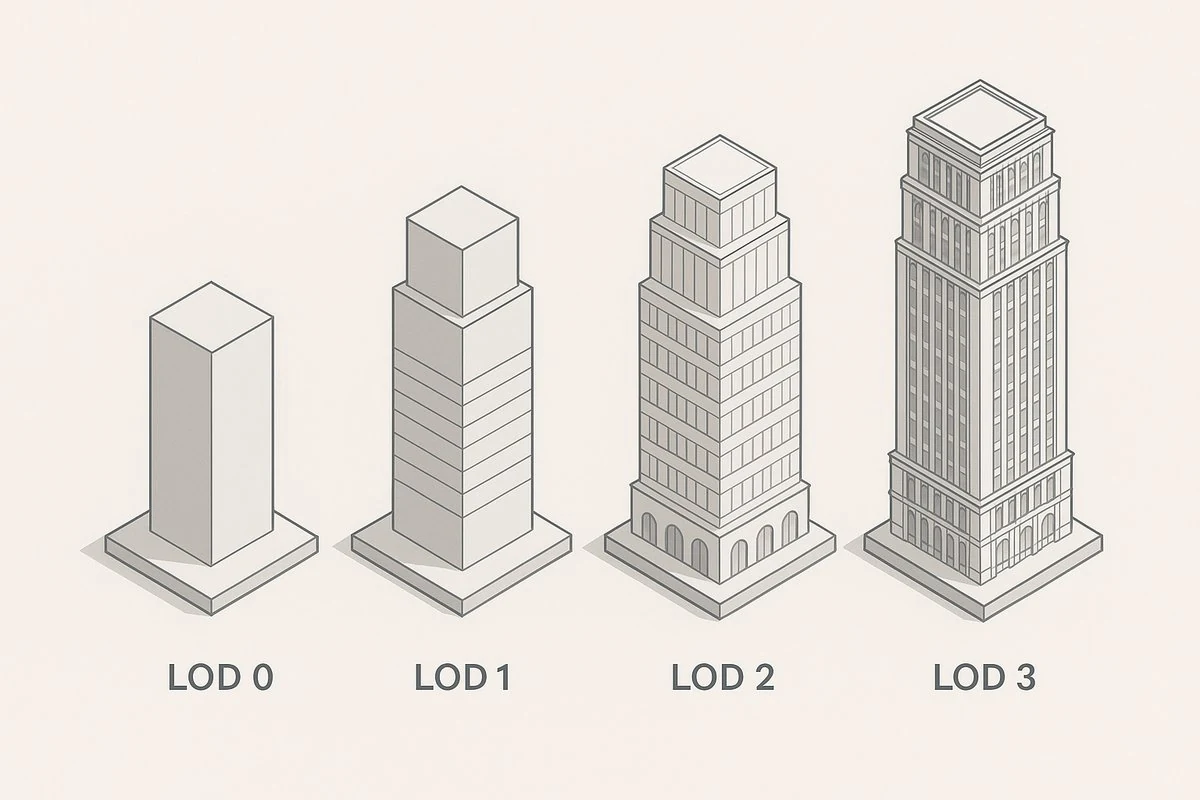
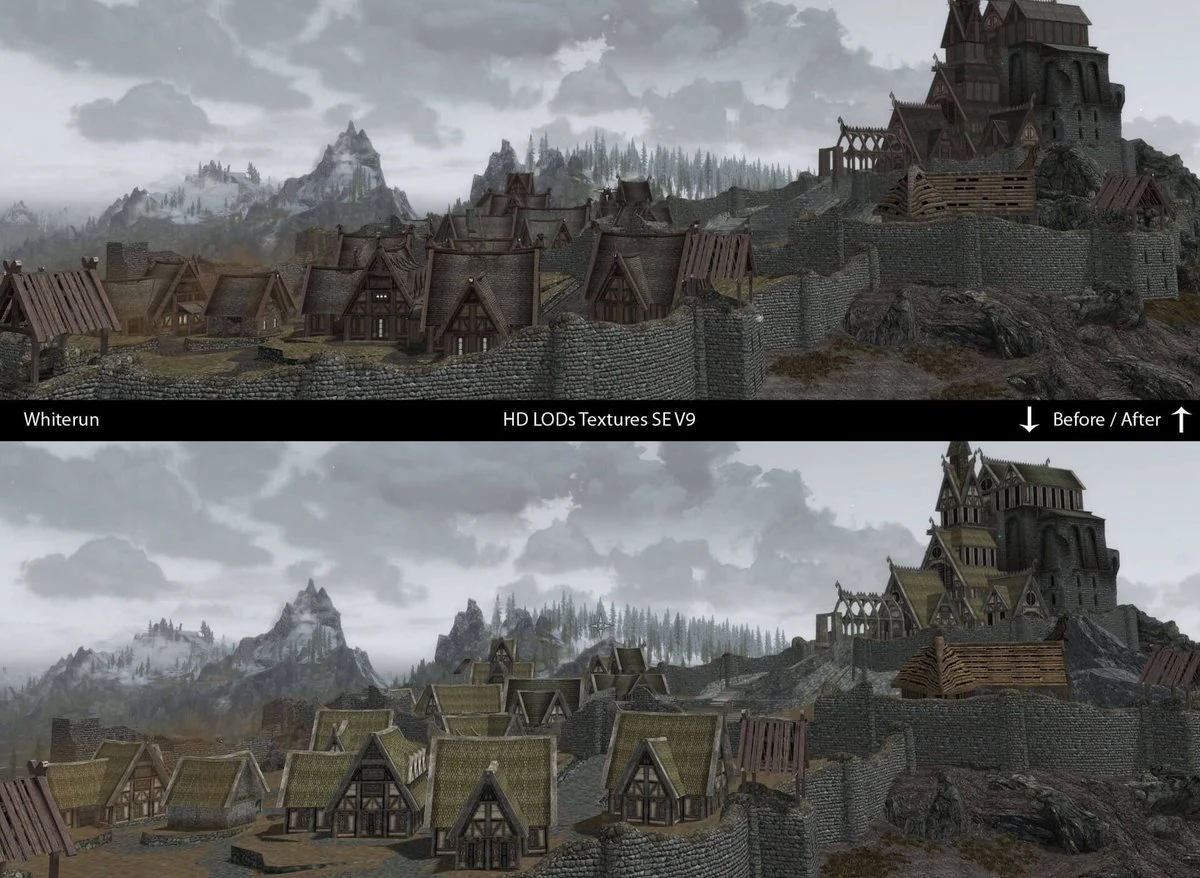
LODs, Impostors, and Instancing: Your Multiplier Effects
- LODs (Levels of Detail): Author at least 2-3 LODs for visible assets; force earlier transitions on mobile. For characters, consider per-component LODs (head, hands, gear).
- Impostors/Billboards: For distant foliage or background crowds, texture-based impostors can replace thousands of triangles.
- Instancing and merging: instance recurring assets (rocks, crates, foliage) and batch static meshes by shared material to cut draw calls.
- Occlusion and Culling: Aggressive frustum and portal culling preserve frame time when worlds get big.
Texture Strategy: The Hidden Half of the Equation
Triangles are only half the story; textures and materials often dominate memory and bandwidth.
- Atlases and trim sheets reduce material switches and draw calls.
- Channel packing (e.g., AO, roughness, metallic in RGB) cuts texture count.
- MIP bias and streaming mitigate shimmer and control memory spikes.
- Resolution discipline: Don’t exceed what the camera can reveal; downscale early and compare side-by-side.
- Managing the palette - using gradient maps and LUTs - maintains visual cohesion while reducing the need for many unique textures.
When to Choose High-Poly
Choose a high-poly-forward strategy when:
- Your fantasy demands realism: grounded shooters, lifelike characters, authentic vehicles.
- The camera goes close and lingers: first-person weapons, dialogue, photo mode.
- Your marketing relies on hero close-ups for storefronts and trailers.
- You have the time and team for sculpting/baking excellence and tight lighting/shader discipline.
Production tips
- Budget sculpt time for tertiary detail (skin pores, textile weaves) only where the camera will see it.
- Keep bake cages clean; fix projection errors before they cascade into texturing.
- Use tileables + decals for micro wear instead of unique 4k maps everywhere.
- Add micro-normal overlays in shader for cheap perceived detail at a distance.
When to Choose Low-Poly
Lean into low-poly when:
- You target mobile, VR, or broad device ranges where performance is king.
- Stylization and readability trump photoreal surface detail.
- You need content velocity (large modular worlds, frequent updates, live ops).
- Your team wants predictable throughput with fewer sculpt/bake steps.
Production tips
- Invest in silhouette-driven concepts - front, side, and three-quarter views with clear negative space.
- Create library trim sheets to maintain quality while speeding production.
- Bake soft bevels and use normals to hide faceting on key edges.
- Keep materials lean and minimize shader variants - smaller permutation sets scale more reliably across diverse hardware.
Hybrid Approaches That Often Win
Most shipped games live somewhere in the middle:
- Bake from high-poly, run low-poly in-engine - the go-to workflow for hero assets and other key props.
- Stylized PBR: Physically plausible materials with simplified shapes and compressed value ranges for a cohesive, art-directed look.
- Detail where it counts: High density on faces/hands/weapons; lower on torsos, boots, and background props.
- Apply believable, physically based materials to stylized models - so fabric, leather, and metal read realistically while proportions and color choices remain expressive.
The trick is consistency - lock your style guide and material ranges so hybrid choices look intentional, not accidental.
QA for Poly Decisions: What We Test at SunStrike
We run visual QA on the same schedule as our functional tests:
- Readability at target distance (downsample screenshots to device resolution).
- During LOD transitions, check for visual popping, silhouette breakdowns, and shader inconsistencies.
- Normal/UV artifacts (hard seams, tangent issues, stretching).
- Performance sweeps (FPS stability, thermal throttling on mobile, shader model coverage).
- Memory audits (peak VRAM/RAM under worst-case scenes; texture residency).
- Accessibility scans (colorblind-safe palettes so low-poly cues remain readable).

A Decision Framework You Can Run This Week
1. Define camera and endpoints. Gather five representative shots (combat, hub, dialogue, vista, UI overlay).
2. Set hard budgets. Set per-scene goals for FPS, triangle budget, draw-call ceilings, and a hard cap on texture memory.
3. Prototype one vertical slice. Create one hero, one enemy, five to seven key props, and a single environment room or plaza.
4. Test two variants. A streamlined low-poly kit and a premium set baked from high-poly sources. Compare readability, performance, and art direction.
5. Pick a lane + hybrid rules. Document where you’ll spend triangles vs. where you’ll lean on textures and trims.
6. Freeze the style guide. A texel-density guide, LOD guidelines, a materials dictionary, a shader toolkit, and standardized naming and scale conventions.
7. Automate the checks. Add exporters, validators, and CI build flags to prevent budget drift.
8. Lock before scaling. Only after the slice performs and looks right should you multiply content.
How SunStrike Studios Can Help
Outsourced 3D Art Production
- High-to-low pipelines for 3D character design, creatures, weapons, vehicles, and environments.
- Stylized and realistic PBR, hand-painted looks, and NPR/cel-shaded setups.
- Trim sheet systems, modular kits, and material libraries that scale.
- LOD creation, impostors, collision, and engine integration (Unity/Unreal).
Full-Cycle Development and Tech Art
- Vertical slices to validate your poly strategy on target hardware.
- Performance profiling, shader optimization, instancing, and batching.
- Build automation and content validation to keep budgets on track.
Integrated QA for Art and Performance
- Visual QA (artifact hunts, LOD audits, readability testing).
- Functional and compliance testing across device matrices.
- Memory/FPS stability checks under worst-case scenarios.
Whether you need a single hero character sculpted to perfection or a thousand optimized mobile game art environment pieces for a live-ops roadmap, our teams join your pipeline and deliver - on budget, on schedule, and on style.
The Bottom Line
There’s no universal winner in the high-poly vs. low-poly debate. The right answer is the one that supports your audience, platforms, and art direction while keeping production predictable. Use high-poly where the camera and marketing demand premium fidelity. Opt for low-poly when large scale, strict performance targets, and rapid update cycles are the priority. Most successful projects choose a hybrid, spending triangles surgically and letting smart texturing, lighting, and design do the rest.
If you’re weighing options or want a second set of expert eyes on your vertical slice, SunStrike Studios is ready to help - from concept to final build. Let’s define the right poly strategy, lock your style, and ship with confidence.