

Isometric City Builder Art: Modular Buildings, Layout & Lighting
Isometric city builder art is part urban planning, part architecture, part theatre. You’re designing a city for a game - a place players read at a glance, navigate by silhouette, and return to for hundreds of hours. A great city-builder city carries the game’s promise within the first three seconds: this is the world you’ll grow, optimize, and personalize. Pull the city off, and players invest. Get it wrong, and even brilliant systems feel hollow.
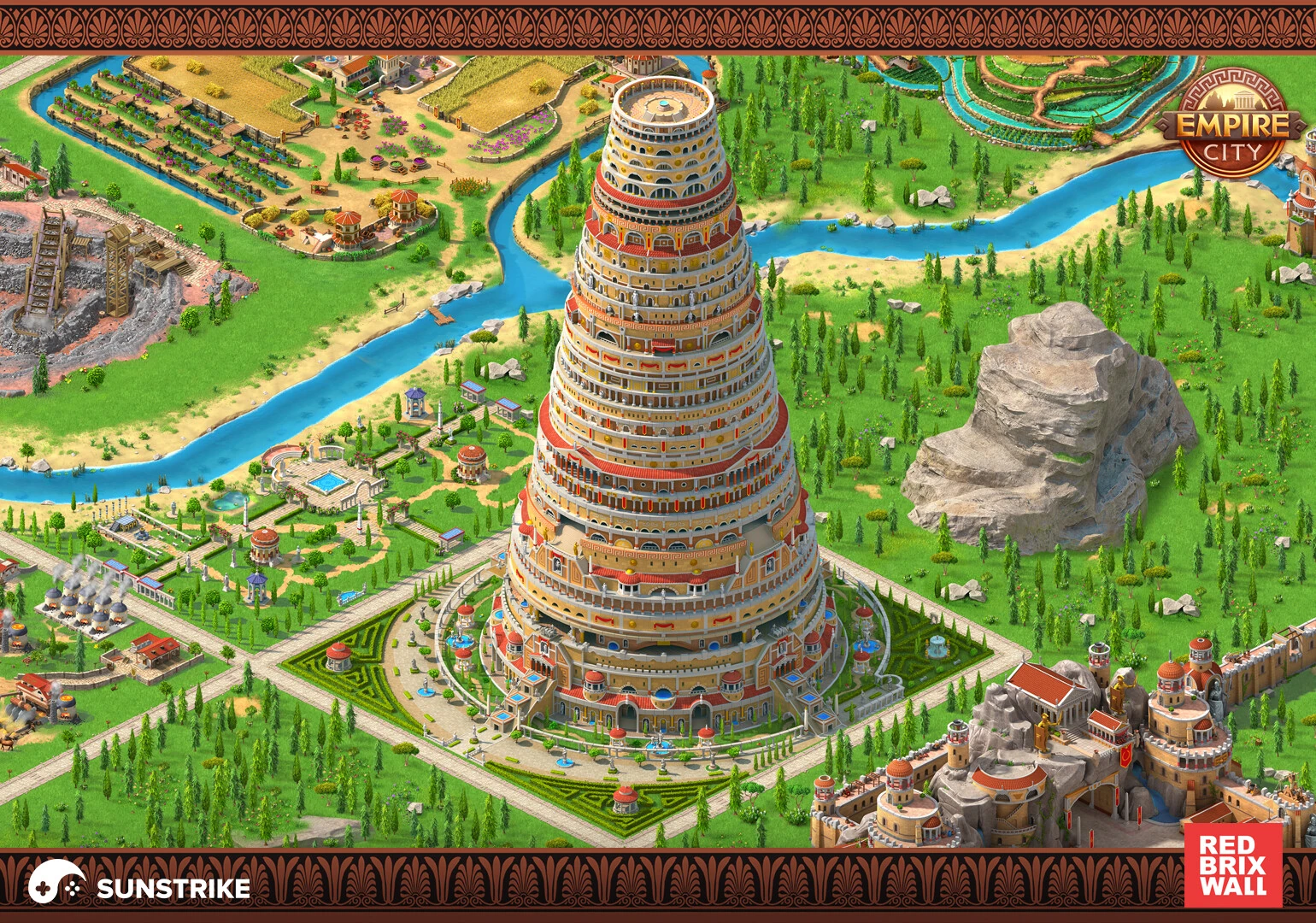
This guide distils production-tested principles from isometric city builders we’ve shipped: Empire City, Steam City, Park Town (a match-3 game with city-builder elements) and Global City for Red Brix Wall, plus Megapolis for Social Quantum. You’ll get a practical workflow - from fundamentals to 2D/3D building creation to infrastructure, lighting, UI, and the live-ops discipline that keeps a city evolving for years.
TL;DR - key takeaways
- Lock theme, scale, and camera first. Architectural language, tile size, and zoom range decide every art choice downstream. Skipping this step thrashes every team after.
- 2D or 3D? Most mobile city builders ship 2.5D - isometric sprites baked from 3D source. You get painterly silhouettes plus 3D’s lighting flexibility and iteration speed.
- Modular kits beat one-off buildings. A 6-asset base kit yields 60+ visually distinct buildings via material swaps, roof variations, and prop overlays.
- Infrastructure is composition. Roads, plazas, and zoning aren’t just gameplay - they’re the lines that lead the eye. Treat them as art direction, not utility.
- Environment sells the world. Day/night cycles, weather, animated props, and small NPCs make a static tile feel alive without per-asset animation cost.
- UI is the city’s skin. Building shops, event windows, and HUD panels need to share the world’s shape language, not feel grafted on.
- Performance budgets early. GPU instancing, atlas packing, LOD ladders, and trim sheets keep 500+ buildings on screen without melting mid-tier Android.
Isometric city builder fundamentals
The first decisions are the cheapest to change and the most consequential. Pin them down before a single building is modeled. For isometric city builders specifically, three choices anchor everything that follows: theme, scale, and the camera angle that defines the isometric projection itself.
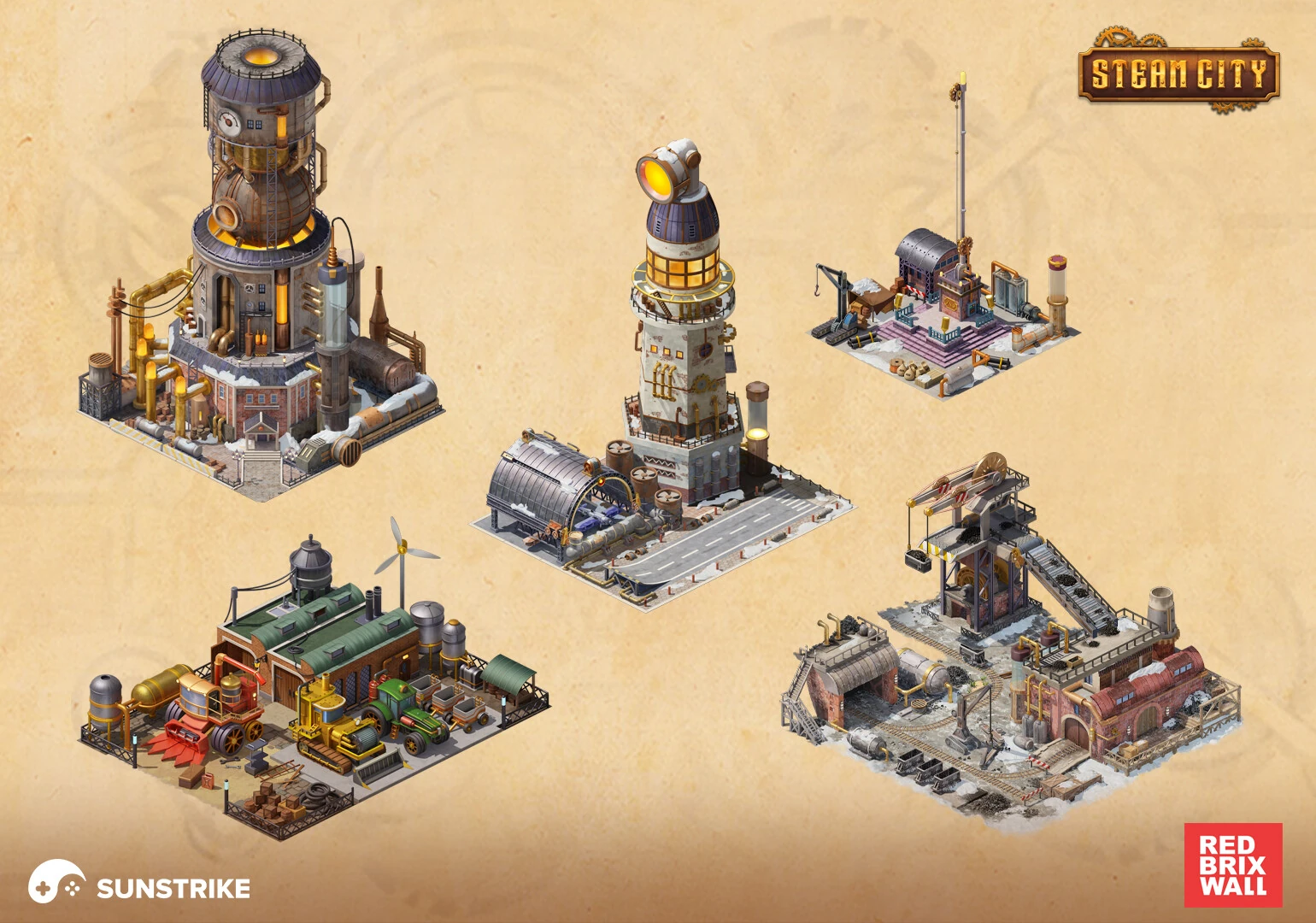
Theme and tone come first. A Mediterranean coastal city wants warm sandstone, terracotta roofs, and turquoise water. A steampunk industrial city wants brass, soot, and copper. A fantasy elven citadel wants curving organic lines and translucent canopies. You don’t need to invent a brand-new style - but you do need to commit. Isometric works with any surface treatment, from flat-stylized to semi-realistic, and our catalogue of game art styles lays out what each one costs to produce. We learned this on Steam City: the steam-and-Victorian theme forced every prop, from cobblestones to chimneys, to obey the same silhouette language. Cohesion is what makes the world feel real.
Scale and camera define the art bible. Most mobile city builders use a 2:1 dimetric projection - the industry-standard tile shape that’s been carried since SimCity 2000. Within that, you’ll decide tile dimensions, how many tiles deep the city extends, and whether the camera supports zoom. Wider zoom range means simpler silhouettes at all levels, sharper details only at the closest pass. Camera locked? You can pack more detail into each tile.
Reference real urban planning. Cities aren’t grids of equal blocks - they have arteries (highways, rivers), neighborhoods (denser cores, sparser edges), and landmarks (cathedrals, train stations, parks). Studying real places informs how players read your city: the eye expects density gradients, expects landmarks at the visual center, expects empty space near water. Faking organic city growth is much harder than basing it loosely on real principles.
Building creation for 2D city builder games
Two-dimensional city builders rely on hand-painted or sprite-baked buildings rendered in a fixed perspective. The art bible matters more here than in any other genre: there are no normal maps or shading to rescue a flat or off-style asset.
Template the silhouette. Define base footprints (1×1, 1×2, 2×2 tiles), define shoulder heights, define how rooflines vary. Then create permutations: corner offices, rounded towers, half-timbered terraces. Players learn the kit’s vocabulary within minutes and feel competent navigating new content because it follows familiar shape rules.
Upgrade paths are art content. A level-1 house and a level-5 mansion should feel like they belong to the same family - same palette, same roof material logic, same window grammar - but with progressive ornamentation. Players “see” upgrades faster from silhouette changes (taller roof, added wing, attached garden) than from texture detail. Use silhouette progression as the primary visual signal.
Hand-painted vs. sprite-baked from 3D. Pure hand-painted 2D delivers a postcard look but demands more artist time per asset. Sprite-baking from 3D source lets you iterate on lighting, time-of-day variants, and damage states without re-painting. We use baked sprites for production city-builders because content cadence is critical - new buildings every two weeks across live ops would be infeasible at hand-painted rates. For broader context on this trade-off, see our guide on vector vs raster in game art.
Building creation for 3D city builder games
Three-dimensional city builders give players free camera control, which raises the production bar at every angle. You can’t hide weak silhouettes or sloppy back faces.
Concept art before geometry. Sketch buildings from three angles - front three-quarter, side, top-down - and confirm every read works. Buildings that pop from the iso preview but fall apart in the top-down view tank later when zoom features ship.
Modeling pipeline. Hard-surface modeling in Blender, Maya, or 3ds Max with subdivision-friendly topology. Sculpt organic details (cracks, weathering, ornamentation) in ZBrush, then bake to normal/AO maps for game-ready meshes. Trim sheets and shared atlases keep memory tight - critical when 500+ instances may appear on a single map. Glaze deeper into pipeline mechanics in our 3D game art outsourcing guide.
PBR texturing with discipline. Calibrate albedo against a material chart, keep roughness in physically plausible ranges, and use one master shader with parameter slots instead of bespoke shaders per material. We’ve covered this approach in depth in our guide on texturing 3D models for games. The key for city builders: shared trim sheets across the whole kit, so brick from a tavern matches brick from a warehouse without per-asset retexturing.
Animations and dynamic elements. Smoke from chimneys, rotating windmills, flickering windows, walking citizens - these tiny motions make a static tile look populated. Animate sparingly - 3-5 dynamic elements per neighborhood is enough to read as “alive.”
Infrastructure and layout
Roads, plazas, rivers, and zoning aren’t just gameplay systems - they’re composition. Done right, they lead the player’s eye across the map and create natural progression paths.
Road networks as visual hierarchy. Highways are bold strokes that divide districts. Residential streets are gentler curves that feed neighborhoods. Pedestrian plazas slow the eye and signal “this matters.” Treat the road grid as a layout decision, not just a navmesh.
Zoning by silhouette. Residential, commercial, industrial, and entertainment zones should each have distinct visual signatures - height profile, color temperature, density. Players read zones from the camera height without needing labels. We learned this hard on Empire City: when zones had similar silhouette ranges, the visual reading flattened and players couldn’t quickly understand what they were looking at. Strong zone differentiation made the city instantly legible.
Landmarks anchor the map. Every memorable city has visual anchors: a cathedral, a stadium, a fountain plaza. Place them at composition intersection points (rule-of-thirds applies to top-down maps too) so the player’s gaze naturally lands there. Landmarks also serve as navigation aids without needing on-screen markers.
Environment design and atmosphere
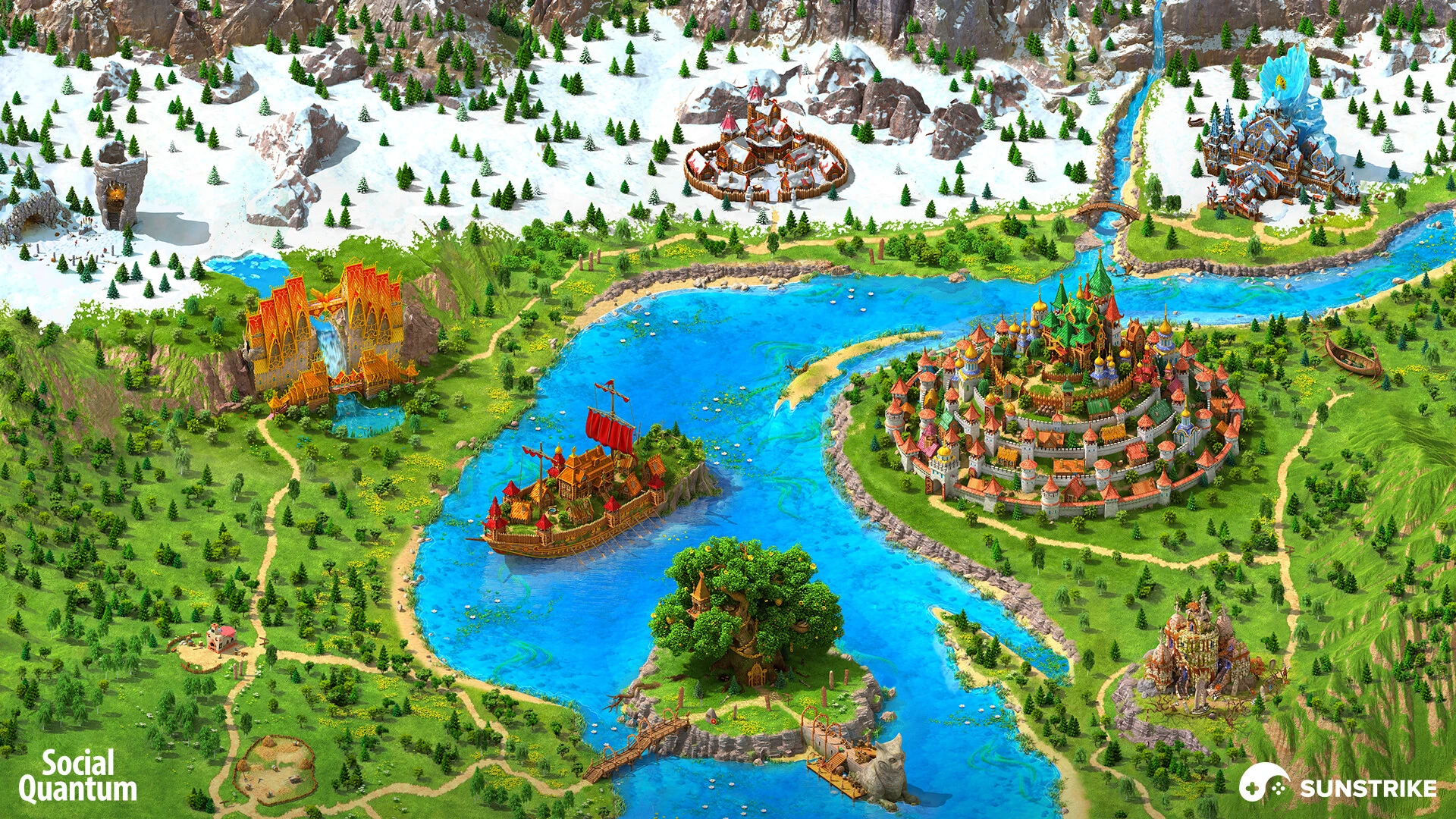
A static city dies on the screen. Dynamic elements bring it to life - and you don’t need expensive simulation to sell it.
Day-night cycles. Warm sunset palettes, cooler night greens and blues, golden-hour rim light on rooftops. Even a baked four-step cycle (morning, noon, sunset, night) gives the city emotional range without per-frame computation. Window lights are the cheapest atmospheric trick available: a few hundred glowing rectangles turn a daytime city into a magical evening.
Weather. Rain, snow, fog. Each weather state is a global art change - tinted palette, particle overlay, surface wetness on shaders. Tie them to seasonal events to drive both engagement and content variety.
Small motion sells big places. Animated water (a single shader pass on lakes and rivers), gently swaying trees, smoking chimneys, ambient citizens walking pre-baked loops - none of these are computationally expensive, but combined they make a frozen scene breathe.
Particles for celebrations. Snow drift in winter, leaves in autumn, fireworks for milestones, confetti for level-ups. Holiday and event particles are LiveOps gold - small art tasks that drive massive seasonal engagement.
UI and HUD design for city builders
The UI is the player’s hand inside the city. It needs to feel like part of the world, not a layer pasted on top.
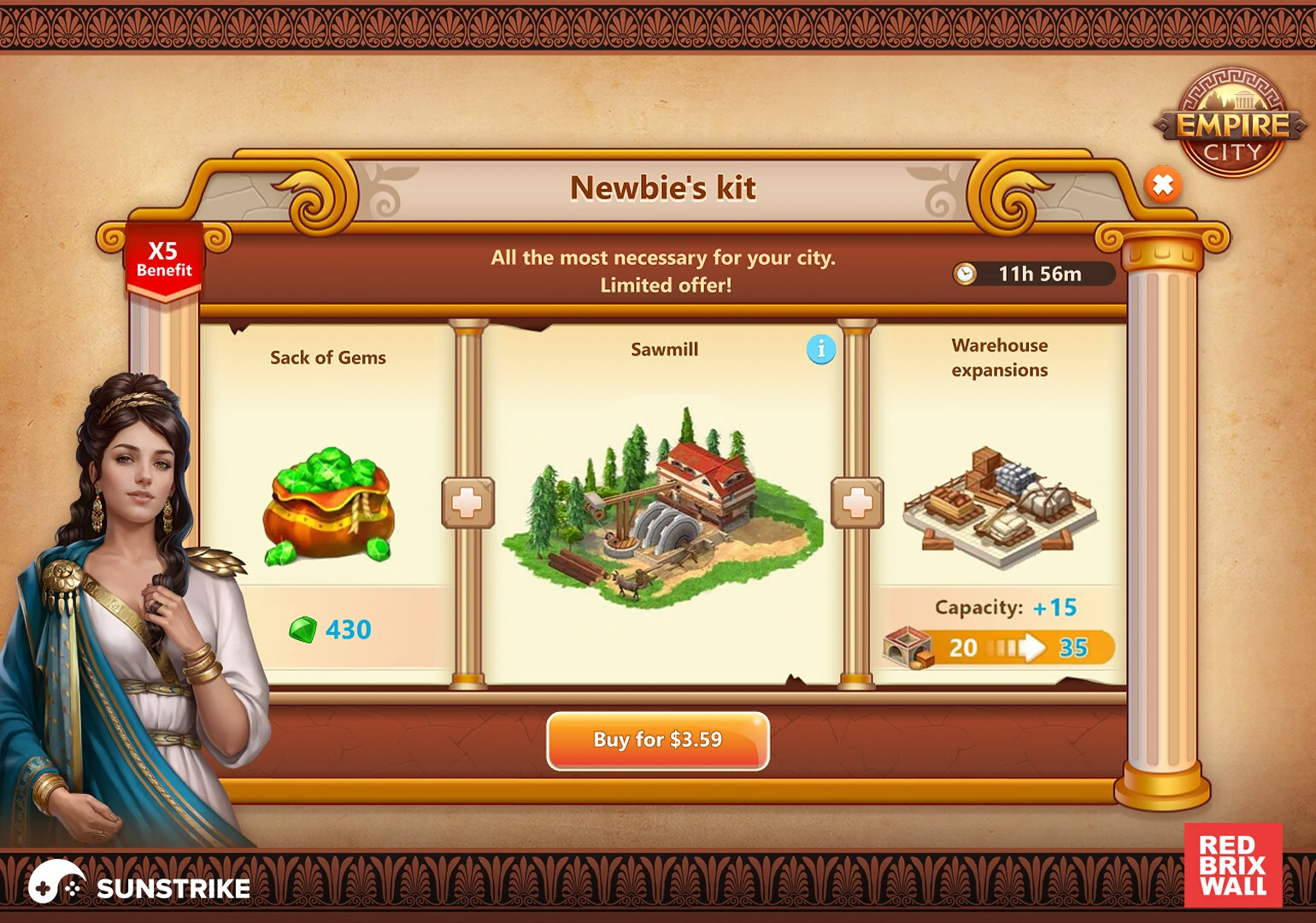
Shop and building menus. Match the world’s shape language - rounded corners for cozy cities, sharp angled frames for industrial ones, ornamental scrollwork for fantasy. The buttons and frames are part of the brand. We’ve explored UI principles in depth in our HUD design in video games guide and our what is UI in games explainer.
Information density. City builders display many resources at once (currency, energy, materials, population). Pack them with discipline: dominant currency top-left or top-right, secondary metrics behind a tap or hover, contextual info next to the relevant building. Pace player attention.
Event windows are mini-posters. Limited-time events live or die on their event window - a small framed scene with characters, theme, and a clear call-to-action. Treat each one as a key-art commission, because that’s effectively what it is.
Challenges in city game design
Three production realities every team encounters - and how to plan around them.
Aesthetic vs. functional tension. A medieval city with cobblestone roads is beautiful, but cobblestone is visually noisy and hides path planning. Plain road textures are clearer but feel sterile. The fix: hierarchy. Visually noisy materials on landmarks (cathedral, market square), simpler readable textures on player-facing function (roads, building footprints, zone boundaries). Reserve detail for moments of focus.
Technical limits and optimization. Player phones are not consoles. GPU instancing on shared geometry, atlas packing across the whole building kit, LOD ladders that simplify far-away buildings into silhouettes, and trim sheets are non-negotiable for mobile city builders. We’ve covered this trade-off in depth in our high-poly vs low-poly game art guide.
Player engagement and retention. The city must change visibly when players engage with it. New buildings, new biomes, new event decorations - all of these need to ship on a predictable cadence. Set up production pipelines that support 2-week content drops without grinding the art team into dust. Modular kits, trim sheets, and parametric variations make this feasible.
Characters, ads, and content velocity
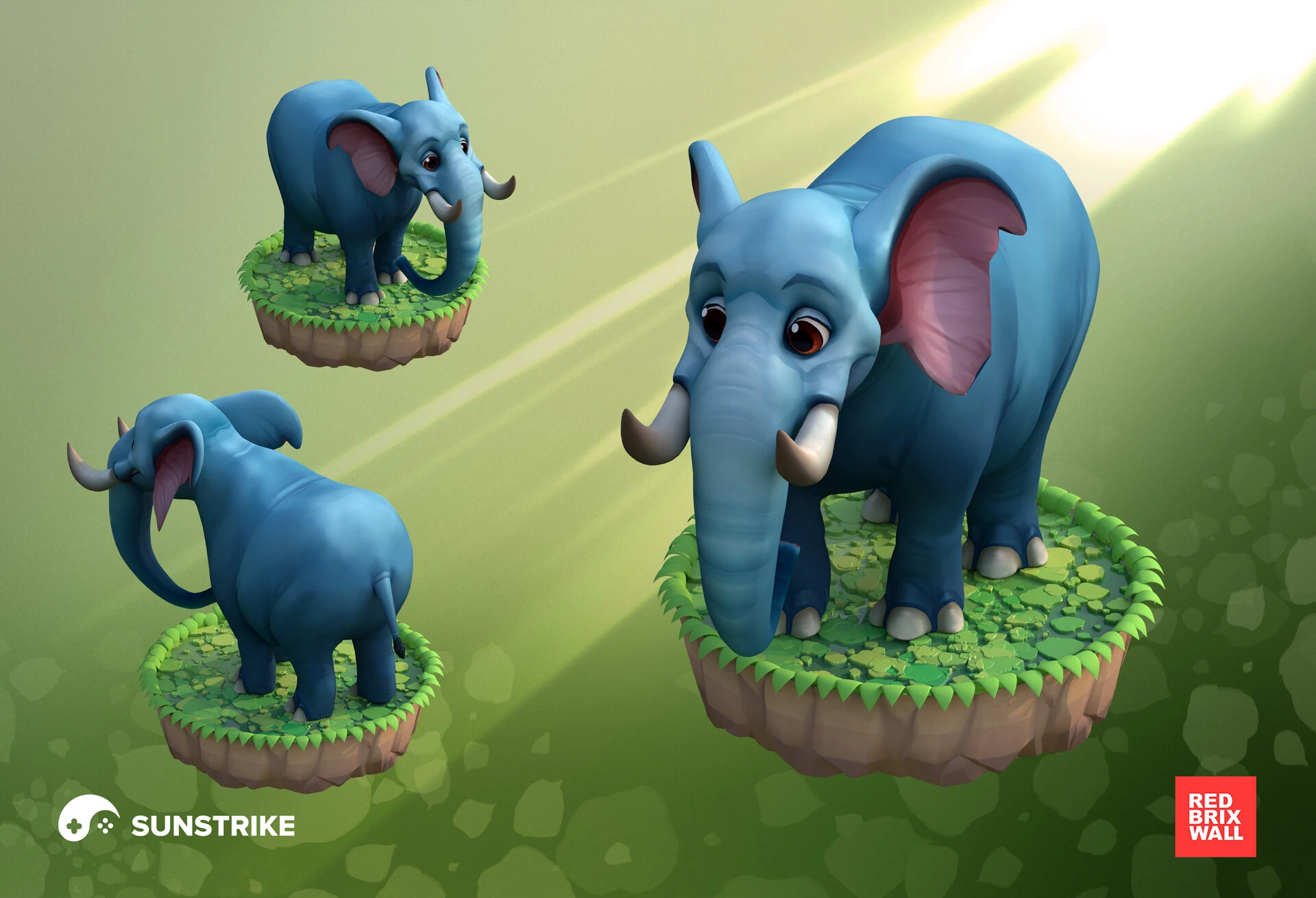
A city without inhabitants feels like a model. Adding stylized characters - shopkeepers, citizens, event-specific NPCs - turns it into a place. For casual character production we’ve built rigs that move between buildings, react to events, and personalize the player’s experience.
Marketing creatives matter too. Every screenshot, banner, and ad creative needs to share the world’s identity. We produce gaming ad packages alongside the in-game assets, so the storefront, the trailer, and the gameplay all feel like one coherent brand. See our video game advertising services for the cross-format approach.
Live-ops cadence for city builders
City builders are forever-products. Players return for years if you keep the city evolving.
Seasonal content. Halloween, winter holidays, summer beaches - each is a citywide art reskin opportunity. Snow on rooftops, jack-o-lanterns on porches, seasonal trees in parks. Bake these as overlay layers so you’re not re-creating buildings - you’re decorating them.
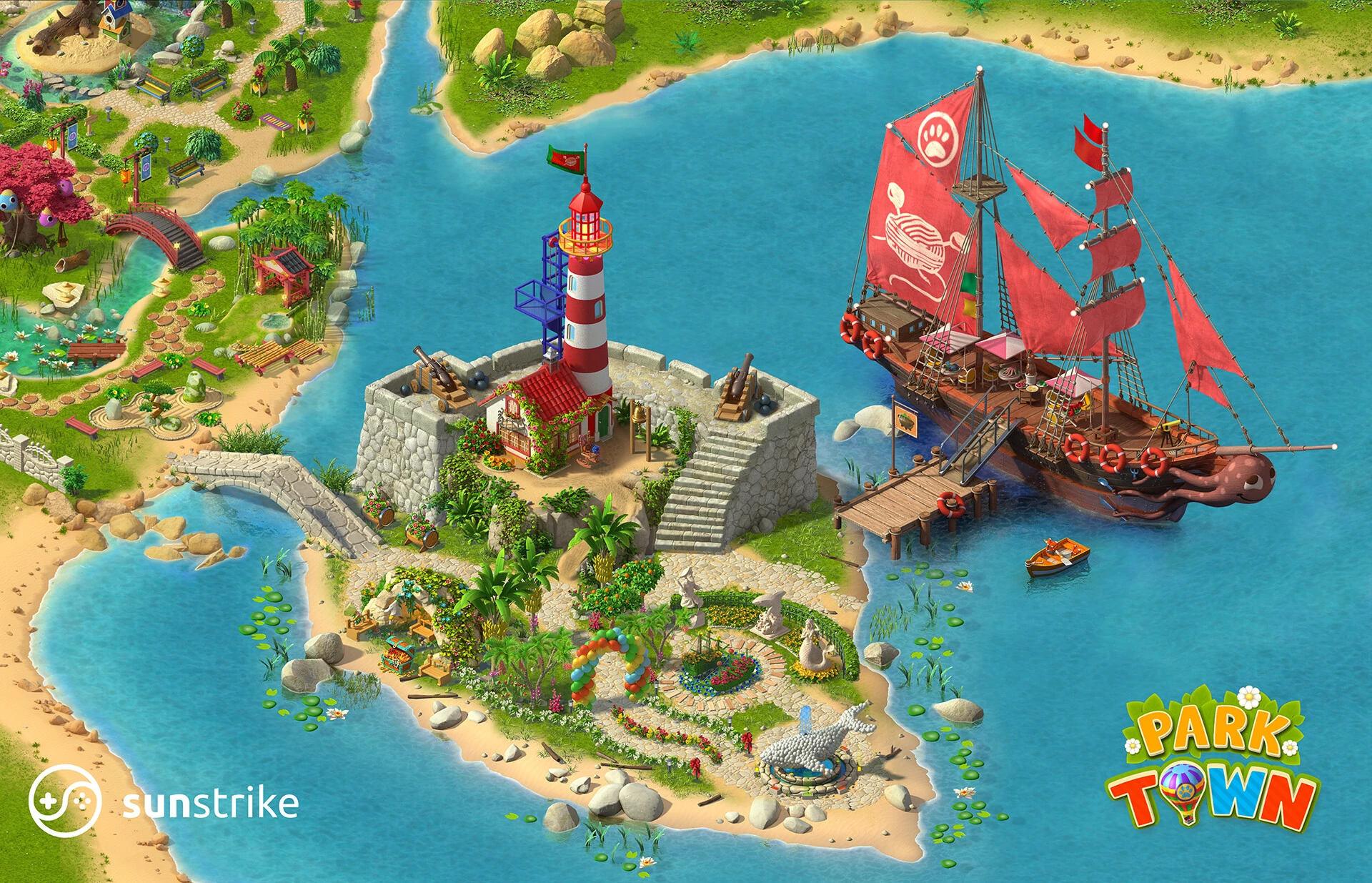
Theme events. Limited-time districts (an old-west town, a pirate harbor, a Japanese garden quarter) drive engagement spikes. Treat each one as a content drop with its own building set, prop kit, UI theme, and event story. We’ve shipped dozens of these for clients - the pattern repeats but the visual flavor varies.
Animated promos and key art. New content needs new marketing creatives. Banner animations, trailer cuts, and store screenshots all need to refresh alongside the content drop. Plan the marketing art pipeline parallel to the in-game assets - they share styling but ship on different timing.
Genre-specific art direction notes
Medieval city builders favor stone, timber, and earthen palettes. Roofs are steep (thatch, slate). Lighting is warm fireplace-amber with cold blue night shadows. Reference: timbered Tudor villages, Italian hill towns, fortified medieval citadels.
Mediterranean coastal cities lean into white limestone, terracotta tiles, blue water, and lush vegetation. Pastel houses cluster on hillsides. Warm afternoon palette, cool evening sea breeze. Megapolis’s Mediterranean Paradise location is a textbook example.
Fantasy cities can break realism entirely. Floating platforms, glowing crystal towers, magical waterfalls. The rule: pick one impossible thing and amplify it. Don’t add a dozen - players lose the suspension.
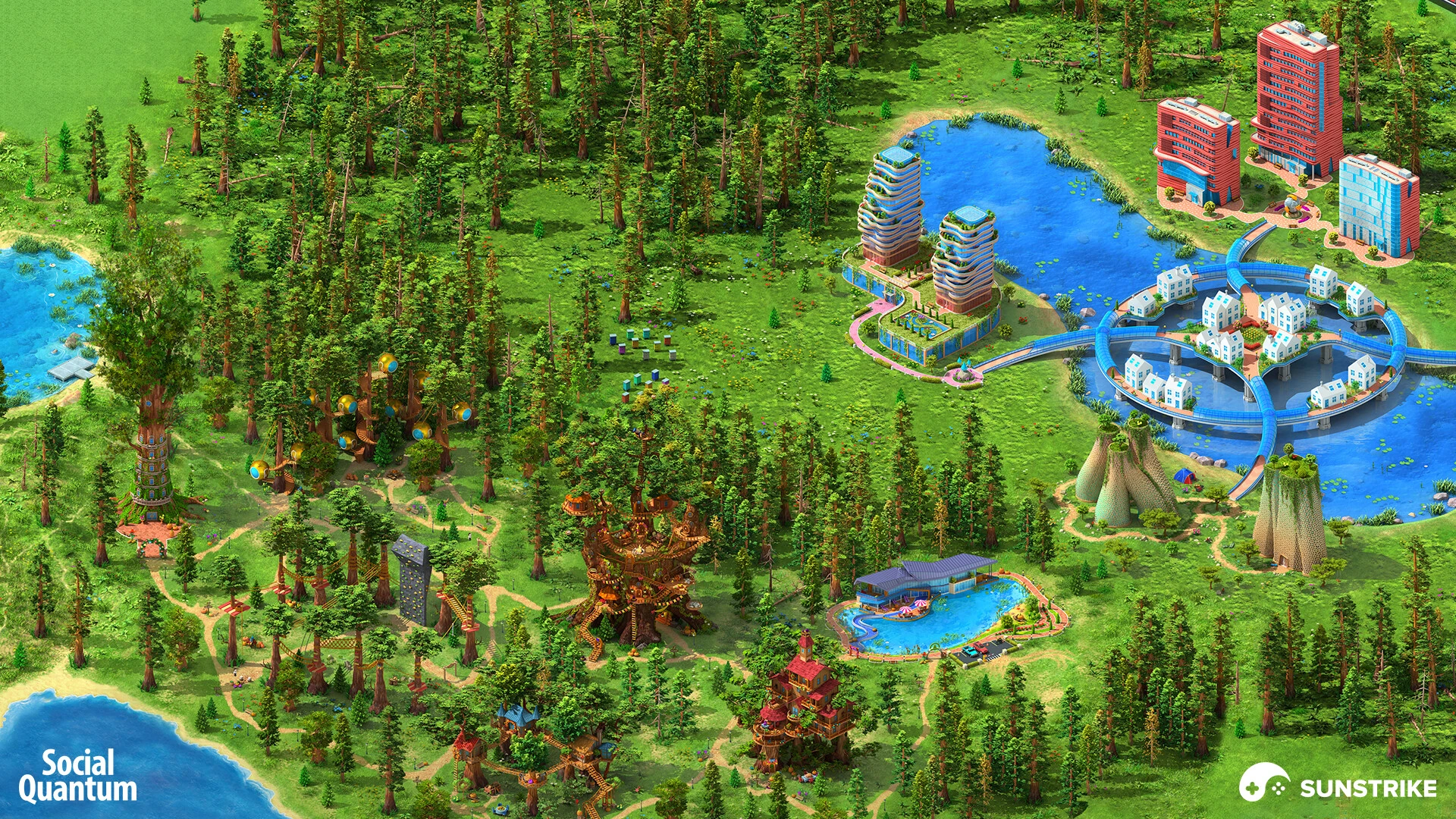
Sci-fi and futuristic cities use chrome, glass, neon, and curving organic architecture. Holographic billboards, hover transport, vertical density. Lighting plays a much bigger role here - emissive accents become the brand. Megapolis’s futuristic district above is a good reference for the balance.
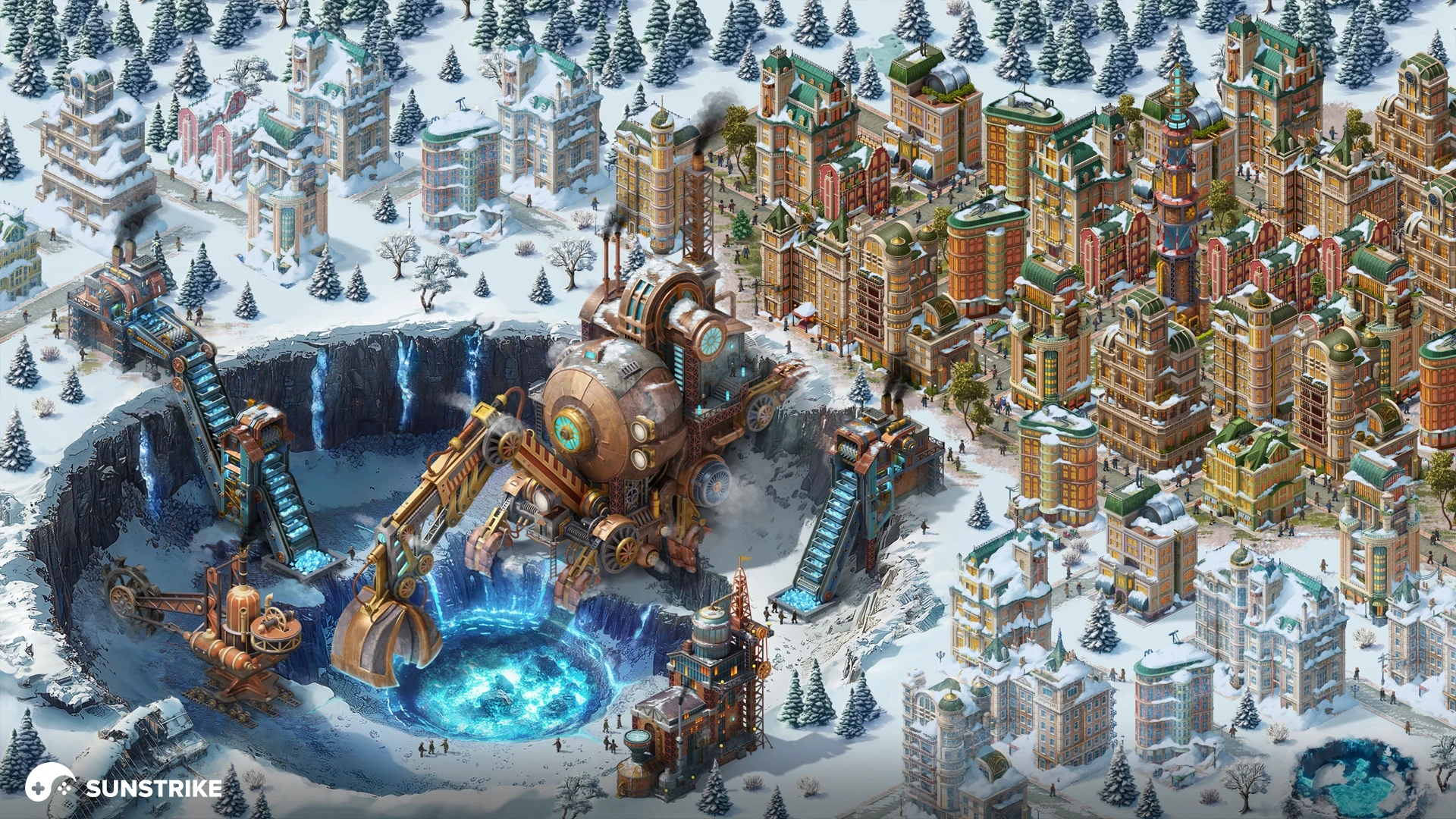
Steampunk pairs Victorian silhouettes with industrial machinery - brass pipes, smoking chimneys, gear-driven facades. The trick is balancing decorative ornament with mechanical purpose: every gear should feel like it could turn.
Production workflow: how we ship city builders
Our pipeline at SunStrike Studios for 2D game art outsourcing and 3D game art outsourcing on city-builder projects follows a predictable rhythm:
- Discovery & art bible. Lock theme, scale, camera, palette, shape language. Reference research. One-page art bible all teams reference.
- Concept and proxy. First buildings as concept sketches; first tiles as proxies in-engine. Validate read at all zoom levels and silhouette under target lighting.
- Vertical slice. One complete neighborhood - 6-10 buildings, props, UI screens, day-night cycle. Vertical slice proves the look and the pipeline.
- Building factory. Once vertical slice is locked, scale up: 50, 100, 500 buildings on a modular kit. Each building still goes through QA gates (silhouette pass, material pass, animation pass).
- Environment layer. Trees, rocks, water, weather, ambient citizens. These are kit-driven too.
- UI and event content. Shop screens, event windows, achievement frames. Themed but shared shape language with world.
- Live-ops content. Bi-weekly drops of new buildings, seasonal overlays, event districts. Pipeline tuned to keep velocity sustainable for years.
Our team handles all stages of environment art for city builders including detailed background work, along with characters, UI, and marketing assets.
Common pitfalls and how to dodge them
Style drift across content drops. Months into LiveOps, new buildings start looking slightly off from the original kit. Fix: a locked style guide referenced before every drop, plus visual QA on every shipping batch.
Hidden performance debt. Mobile-targeted city builders hit thermal throttling when overdraw spirals. Fix: profile early, profile often. Atlas every texture, instance every repeated mesh, LOD ladder every distant element.
UI grafted on, not designed in. World-class buildings can be undermined by generic UI. Fix: design building shops and event windows alongside the buildings themselves, in the same art-direction sprint.
Insufficient zone differentiation. Players can’t read residential from commercial from industrial. Fix: differentiate by silhouette (height profile), palette (warm vs cool), and density. Use shape and color, not just labels.
Why SunStrike Studios for city builders
We’ve shipped art for Empire City, Steam City, Park Town, and Global City (Red Brix Wall), plus Megapolis (Social Quantum), plus dozens of internal city-builder projects. Our team handles isometric environment art, modular building kits, casual 3D characters, UI/UX, and marketing creatives - all from one studio, with one art bible, on one schedule.
We integrate as your art partner across the full pipeline: from initial art bible through vertical slice to ongoing live-ops content. For studios building casual 2D production or full-stack 3D pipelines, we plug in at any stage. See our portfolio for the full breadth of city-builder work.
If you’re planning a new city builder or scaling an existing live game, talk to us. Bring your art bible, your camera angle, and your content roadmap - we’ll show you what a 6-month, year-long, or three-year content pipeline looks like under our hands. The next city you ship can be the one players still come back to in 2030.
Final word
Designing a city for a game is one of the most rewarding visual disciplines in game development. You’re not making a level - you’re making a place. Players will spend hundreds of hours growing it, decorating it, sharing screenshots of it. Every modular building, every road tile, every animated chimney is a small commitment to those hours.
Get the fundamentals right (theme, scale, camera), build modular kits with discipline, layer dynamic environment elements, and design UI as part of the world. Plan live-ops cadence into the production pipeline from day one. And reference real cities - the way they grew, the way they layered density, the way landmarks anchor neighborhoods - because the eye recognizes those patterns even on a phone screen.
If your team needs an art partner who’s shipped cities at every scale - from cozy Park Town to sprawling Megapolis - SunStrike Studios is ready when you are.